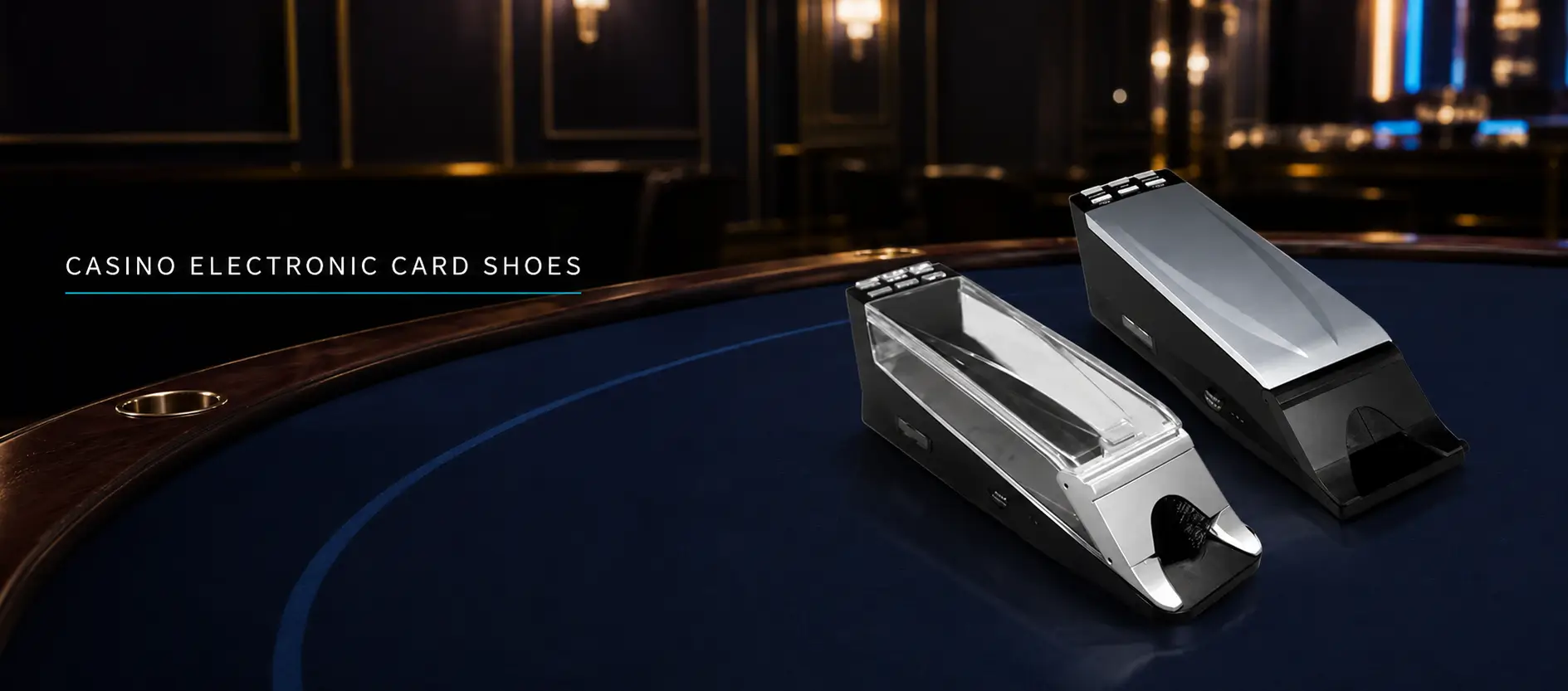
An electronic card shoe is a table-game device that combines controlled card delivery with electronic card-recognition or data-processing functions.
It is commonly associated with baccarat, although product capabilities vary considerably. Some models only identify dealt cards, while others can calculate hand results, communicate with a baccarat roadmap display or exchange information with a table-management platform.
An electronic shoe should not be confused with an automatic card shuffler. The shoe delivers cards during play; the shuffler prepares or randomizes cards before they are dealt. Some equipment may combine several functions, but buyers should verify them separately.
Traditional Card Shoe vs Electronic Card Shoe
A traditional card shoe holds multiple decks and uses a weighted roller or similar component to keep the remaining cards near the dealing outlet.
It does not normally identify the rank and suit of each card or send game information to another system.
An electronic card shoe adds electronic components. Depending on the model, these may support:
- Card recognition;
- Dealing-sequence records;
- Player and Banker hand calculation;
- Game-result output;
- Roadmap display connection;
- Device-status monitoring;
- Event or error records;
- Connection to compatible table software.
These functions are model-specific. The presence of a screen, reader or network port does not mean that every electronic shoe provides all of them.
How Card Recognition Works
Electronic shoes may use different recognition methods.
Common approaches include:
- Optical recognition of printed card information;
- Barcode or specially encoded card recognition;
- RFID-enabled card identification;
- Other proprietary card-recognition methods.
The shoe and playing cards must be compatible with each other.
A system designed for specially encoded cards may not recognize ordinary casino cards. An RFID reader requires cards containing compatible electronic tags. Optical performance may depend on the printed design, card condition and recognition area.
Before purchasing, operators should confirm exactly which card types and brands have been tested with the selected shoe.
Deck Capacity
Baccarat is commonly played with six or eight decks, depending on the approved rules and local procedures. An eight-deck shoe can contain 416 cards before cut cards, burn cards or other operational adjustments are considered.
Blackjack may use a different number of decks according to the game rules.
The specified shoe capacity should therefore match:
- The intended game;
- Number of decks;
- Card thickness;
- Cut-card procedure;
- Internal roller travel;
- Operator dealing procedure.
A product described only as a “multi-deck shoe” does not provide enough information for procurement. The supported deck range should be confirmed in writing.
Recognition Is Not the Same as Shuffling
This is one of the most common purchasing misunderstandings.
An electronic card shoe may recognize cards as they leave the device, but that does not mean it shuffles them.
Similarly, an automatic shuffler may randomize cards without identifying every dealt card or sending results to a baccarat display.
Buyers should separate the following functions:
FunctionPurposeCard storageHolds the decks used for the gameCard deliveryPresents cards to the dealerCard recognitionIdentifies cards as they are dealtHand calculationApplies the configured game rulesResult transmissionSends completed results to another deviceCard shufflingRandomizes cards before the dealing cycle
If a project requires more than one function, the supplier should identify which device performs each one.
Connection to a Baccarat Roadmap Display
A connected shoe may send recognized card or completed-result information to the roadmap display.
This reduces the need to enter the result manually after each hand. However, successful integration depends on more than connecting a cable.
The operator should verify:
- Communication protocol;
- Physical interface;
- Software version;
- Card-data format;
- Game-rule configuration;
- Handling of Tie and Pair results;
- Correction procedure;
- Recovery after disconnection.
The shoe and display should be tested using controlled hands before live operation.
The test should confirm that displayed Player, Banker, Tie and applicable side-bet results correspond with the cards actually dealt.
Matching the Shoe to the Table
The shoe must also fit the physical arrangement and workflow of the selected baccarat table.
Before installation, the operator should confirm:
- Dealer-side operating space;
- Position of the shoe and discard holder;
- Power and data cable routes;
- Distance from the roadmap display;
- Dealer hand movement;
- Access for card loading;
- Access for cleaning and maintenance;
- Visibility to surveillance cameras.
A shoe that works correctly in a laboratory may still be inconvenient if its size, outlet angle or cable arrangement conflicts with the final table layout.
Connection to a Management System
Some electronic shoes can send information to a broader management environment.
Depending on the selected software and integration, the system may receive:
- Device identification;
- Table identification;
- Recognized cards;
- Calculated game result;
- Time of the event;
- Shoe status;
- Communication status;
- Error or exception information.
CTSOK’s electronic card shoe can be configured as part of a connected table environment with compatible display and management equipment.
When connected with the CTSOK casino management system, the selected table equipment can contribute information to a centralized operational workflow. The exact functions depend on the card type, shoe model, software modules, game rules and integration configuration.
What Happens When a Card Is Not Recognized?
No recognition system should be evaluated only under perfect conditions.
Testing should include controlled situations involving:
- Misaligned cards;
- Worn or damaged test cards;
- Cards dealt too quickly or irregularly;
- An incompatible card;
- Repeated presentation of the same test card;
- A temporarily disconnected display;
- Device restart or loss of communication.
The most important question is not whether an error can ever occur. It is whether the shoe identifies the condition clearly and allows staff to follow an approved recovery procedure.
An unrecognized card should not silently produce an apparently valid result.
Physical Design and Dealer Use
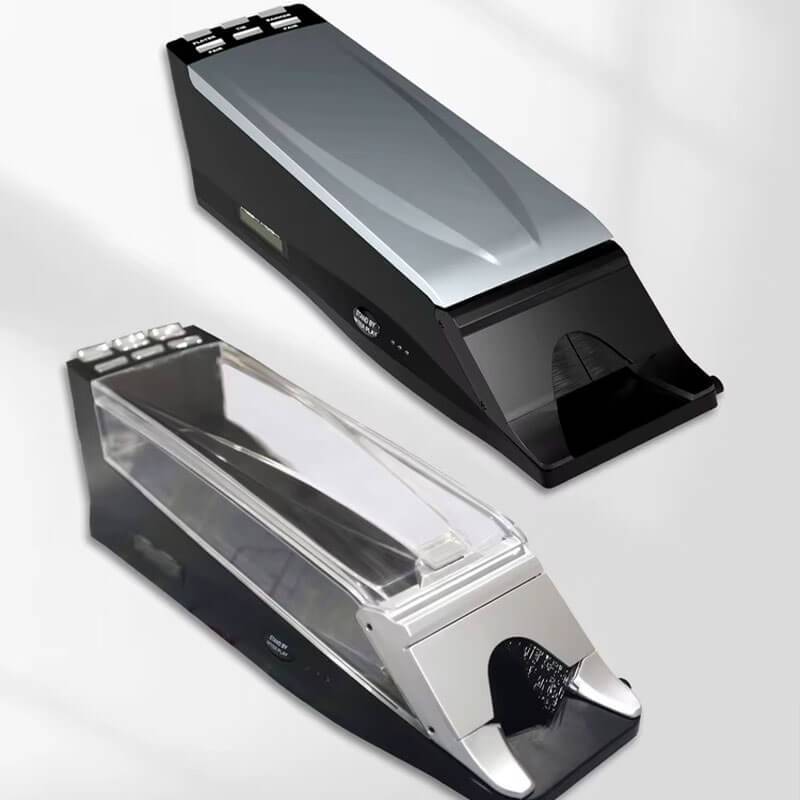
Electronic functions should not make the physical dealing process unnecessarily difficult.
Important design considerations include:
- Stability on the table;
- Card outlet angle;
- Smooth card delivery;
- Roller pressure;
- Visibility of remaining cards;
- Prevention of premature card-face exposure;
- Dealer hand position;
- Cable location;
- Access for card loading;
- Access for cleaning and maintenance.
A shoe that recognizes cards correctly but repeatedly disrupts normal dealing is not suitable for live operation.
Operators should ask experienced dealers to participate in acceptance testing rather than leaving the evaluation entirely to the technical team.
Security and Approval Considerations
GLI-29 establishes technology-neutral integrity principles for card shufflers and dealer shoes. Its stated purpose includes ensuring that such equipment can operate fairly, securely and in an auditable manner.
Actual approval requirements are determined by the applicable gaming jurisdiction. A supplier’s general specification or an international laboratory standard does not replace local regulatory approval.
Before procurement, the operator should confirm:
- Applicable jurisdictional requirements;
- Required laboratory testing;
- Software and firmware identification;
- Physical access controls;
- Error records;
- Communication security;
- Maintenance authorization;
- Change and update procedures.
Reference: GLI-29 – Standards for Card Shufflers and Dealer Shoes
Electronic Card Shoe Purchasing Checklist
Before selecting a product, confirm:
- Which games does it support?
- How many decks can it hold?
- Which card-recognition method does it use?
- Are special playing cards required?
- Does it shuffle cards or only deliver and recognize them?
- Can it calculate baccarat results?
- Can it connect to the selected roadmap display?
- Can it connect to the casino management system?
- How are recognition errors handled?
- What maintenance and replacement support is available?
The answers should be based on the exact model being supplied, not on a general description of electronic shoes.
Frequently Asked Questions
Is an electronic card shoe an automatic shuffler?
Not necessarily. Card recognition, card delivery and card shuffling are separate functions unless the selected product specifically combines them.
Can an electronic shoe use ordinary playing cards?
It depends on the recognition technology. Some products require specially encoded or RFID-enabled cards.
Can it update a baccarat roadmap automatically?
A compatible shoe and display can exchange result information, but the communication protocol and software integration must be confirmed.
How many decks does a baccarat shoe hold?
Six- and eight-deck baccarat games are common. The actual shoe capacity must match the game rules, cards and operating procedure.
Does an electronic shoe change baccarat rules?
The equipment should apply the approved rules configured for the game. It does not independently determine which rules the casino is permitted to offer.